
My Diary - Daily Diary Journal
Dairy App & Notes & Audio Editor & Voice RecorderLifestyle
4.828.65K Reviews
- Version
- 1.04.16.0813
- Installs
- 50.00M
- Age Rating
- Everyone
Screenshots



Our Review of My Diary - Daily Diary Journal
 Analysis by Appyee
I tend to reach for a diary when an idea or feeling is still fresh, not hours later when I’m trying to remember the details. A phone journal can make that habit easier, but it also raises practical questions: can I get to it when I need it, and do I feel comfortable keeping personal thoughts there? My Diary - Daily Diary Journal is built around quick personal entries, with ways to make them feel more individual than a plain text note. I’d consider it for everyday reflection, while being thoughtful about privacy and connectivity before treating any digital diary as my only record.
When getting online enters the picture
A diary is a particularly personal app, so I pay attention to which parts of the experience may depend on a connection. Writing a private thought should feel straightforward, but syncing or backup is a different matter: those functions can involve network access, and I would not assume that every action works the same way online and offline. Before relying on the app during a trip, commute, or stretch with poor reception, I’d test the exact workflow I plan to use.
That distinction matters because a journal is not like a news feed that can wait until later. If I want to record something during a busy day, I want to know whether I can open a new entry, save it, and find it again without interruption. I’d try that routine in a low-stakes moment first, rather than discovering a connectivity snag when I’m ready to write something important.
For entries that include photos or other personal details, I’d also check how the app behaves when those additions involve syncing. A sensible habit is to finish an entry and confirm it appears where expected before assuming a backup is complete. This is not a reason to avoid the app; it is a reminder that backup and day-to-day writing are separate parts of a diary workflow, and each deserves a quick check.
Short sessions, busy days, and mobile use
The strongest use case for a phone diary is catching small moments while they are still specific. I might write a few lines after a difficult conversation, note what made a meal memorable, or record a thought on the way home before the day blurs together. A journal does not have to become a long nightly essay to be useful. A date-based entry can give a brief observation a place to return to later.
For example, imagine I leave work with a decision on my mind. I can capture what happened, what I felt, and one question I want to revisit, rather than trying to reconstruct all three at bedtime. If I add a photo to mark the setting, I’d keep the written note understandable on its own too. That way, the entry still has meaning when I look back at it without relying on the image to explain everything.
Mobile convenience has a trade-off: typing a personal entry on a small screen can be less comfortable than writing in a paper notebook or using a full keyboard. I’d keep quick entries short and save longer reflections for a calmer moment. If the app’s prompts help me get started, I can use one as a springboard, then write in my own words instead of feeling obliged to answer it completely.
Protecting a habit from interruptions
Before making any journal a regular home for sensitive writing, I’d test the basic recovery path. I’d create a harmless sample entry, close and reopen the app, and check that the entry is still there. If I plan to change devices or depend on a backup, I’d learn how that process works while the diary is still easy to recreate—not after I’ve filled it with years of memories.
That small test is useful for another reason: it shows whether my own habits fit the app. A reminder may prompt me to write, but a missed day should not turn journaling into a chore. I’d treat reminders as invitations and choose a modest routine, such as a few lines when something stands out, rather than trying to produce a polished account of every day.
There is also a difference between protecting access to an app and having a complete recovery plan. A lock can help keep casual viewers away, but it does not by itself tell me what happens if I forget a passcode, replace my phone, or lose access to a connected account. I’d avoid putting the only copy of something irreplaceable in any single app until I understood the recovery options that matter to me.
Using a diary without wasting data
For data-conscious use, I’d separate simple text journaling from media-heavy habits. A short written entry is a lighter routine than regularly attaching photos, and it is easier to review quickly later. I would add images when they genuinely help preserve a memory, not automatically to every entry. That keeps the journal focused and makes it less dependent on a constant stream of uploads or downloads.
If I’m on a limited connection, I’d postpone any action that appears to sync or back up until I’m comfortable with the network being used. I would not assume that a particular setting controls every transfer; I’d inspect the app’s current options and the phone’s data controls. A useful personal rule is to write first, then check the entry and any sync status when I’m back on a dependable connection.
People who want a diary that is guaranteed to remain entirely local should be especially careful to verify how storage and backup work before committing. Someone who values access across devices may welcome syncing, while another person may prefer a paper notebook or a text editor they already understand. The right choice depends less on having the most features and more on whether the privacy and recovery arrangements match the way I write.
These are the questions I would settle before making it my main journal: Can I create and reopen an entry in the places I usually write? Do I understand how a backup is made and restored? Am I comfortable with the lock and account arrangements? Can I keep the habit useful without attaching media to everything? Trying those points with a few non-sensitive entries gives much clearer answers than relying on assumptions.
Connectivity is therefore a supporting part of the experience, not the reason I’d choose a diary. I want the app to make everyday writing convenient, but I also want a realistic plan for syncing, data use, and recovery. If those parts suit my routine, a phone-based journal can be a handy companion. If they remain unclear or feel burdensome, paper or a simpler notes tool may be the more comfortable option.
The First Impressions
So, I downloaded My Diary - Daily Diary Journal on a whim, thinking it might just be another run-of-the-mill note-taking app. But boy, was I wrong! From the get-go, the interface felt like a breath of fresh air. It's clean, intuitive, and pretty much screams simplicity. No more fumbling around trying to figure out where everything is. Just open the app, and you're good to go.
Features That Stand Out
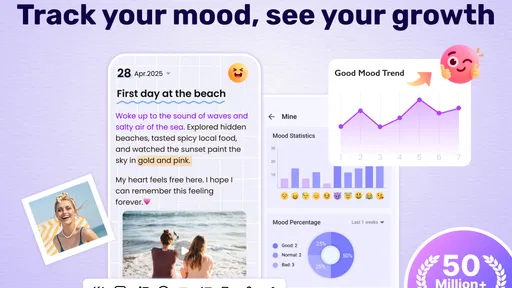
What I absolutely love about this app is its customizability. You can personalize your entries with themes, fonts, and even background music. Yep, you heard that right—background music! It adds a whole new vibe to journaling, making it a rather therapeutic experience.
Another standout feature is the lock. Your secrets are safe, thanks to the app's password protection. Whether it's a pin, pattern, or fingerprint lock, you can choose your preferred method to keep prying eyes at bay.
"It's like having a diary with a lock and key, but digital. Perfect for the modern-day journaler."
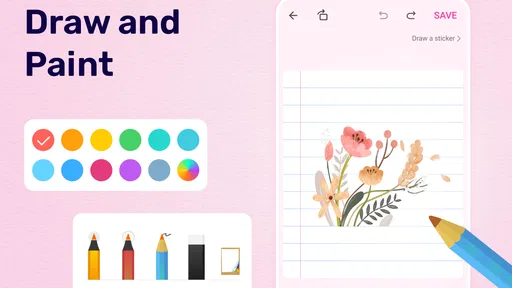
And if you're a visual person, the app's got you covered too. You can attach photos and even doodle on your entries. It's like a scrapbook, but way cooler. Got a memorable night out with friends? Snap a pic, pen down your thoughts, and save it forever.
Managing Your Entries
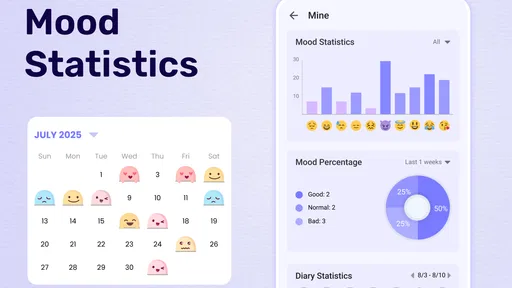
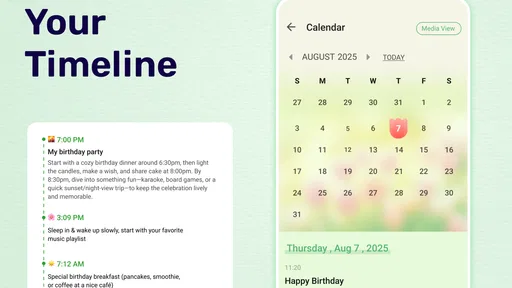
Navigating through past entries is a breeze. The app categorizes everything by date, making it super easy to track your thoughts over time. Plus, if you're like me and love reflecting on past experiences, this feature is invaluable. You can even search for specific entries using keywords. Talk about convenience!
- Easy navigation
- Keyword search
- Automatic backups
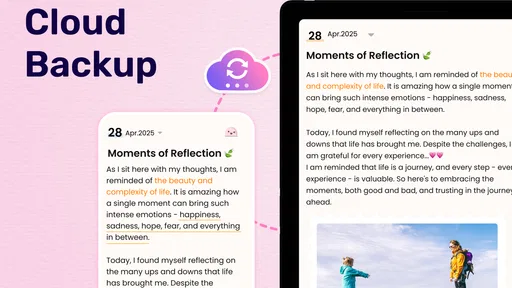
Oh, and did I mention the cloud backup? No more worrying about losing your entries if you switch devices. Just sync it up, and your diary is safe and sound.
The Little Extras
Sometimes, it's the little things that make a big difference. The app sends gentle reminders to write, helping you stay consistent. And if you're feeling stuck, there's a prompt feature to nudge your creativity. Whether it's a question or a topic suggestion, it's a great way to beat writer's block.
- Reminders
- Never miss a day of journaling.
- Prompts
- Get inspired with suggested topics.
Final Thoughts
All in all, My Diary - Daily Diary Journal is a fantastic app for anyone looking to capture their thoughts, dreams, and daily happenings. It's more than just a diary; it's a personalized space that grows with you. Whether you're a seasoned journaler or just starting out, this app is sure to become your go-to.
If you're ready to embark on your journaling journey, give this app a shot. It might just become your new best friend. And trust me, once you start, there's no going back.
Who will get the most from it
I see this as a good fit for someone who wants a personal journal with more atmosphere than a bare notes page. Themes and fonts let the writing space feel familiar, while photos and doodles make it possible to preserve the texture of an occasion, not just a summary. The prompts are useful when I know I want to write but cannot decide where to begin; I’d treat them as a nudge rather than a template to follow every time.
It is less suited to someone who wants a highly structured planner, collaborative document, or searchable knowledge base. Keyword search helps locate a remembered phrase, but that is not the same as a project-management system with tasks and reminders tied to deadlines. If my main need were organizing work across teams or tracking complex plans, I’d choose a tool built for that job and keep this diary for personal reflection.
How it compares with paper and notes apps
Compared with a paper notebook, the clear advantage here is that entries are dated and searchable, and the lock offers a layer of privacy from someone casually handling the phone. The trade-off is that a physical notebook does not depend on a device, account, or digital recovery process. I’d choose paper for uninterrupted writing and long-term simplicity; I’d choose this app when I want to find an old thought by keyword or combine text with visual touches.
Compared with a general notes app, the diary’s prompts, reminders, and personal presentation encourage a recurring writing habit rather than a pile of miscellaneous notes. The reverse is also true: a notes app can be more flexible for lists, copied material, and practical snippets. My useful dividing line would be to keep private reflections here and use ordinary notes for shopping lists or information I need to share. That prevents a diary from becoming a cluttered catch-all.
The developer is listed as Dairy App & Notes & Audio Editor & Voice Recorder, and the app sits in the lifestyle category. It is free to start, with in-app purchases ranging from $0.99 to $59.99 per item. I’d explore the free experience before paying for anything and decide based on a feature I actually use, rather than assuming a purchase is necessary to begin journaling.
Practical details before settling in
The app is rated for Everyone and requires Android 7.0 or later. Its current version is 1.04.09.0121, and it was released on September 5, 2020. Those details are useful when checking whether an older phone can install it, but I’d still confirm the app’s behavior on my own device before moving an existing diary into it.
Its audience is substantial: it has more than 50 million installs and a 4.8 average from around 1.2 million ratings, alongside roughly 28,000 written reviews. That level of adoption suggests many people have made it part of their routine, though popularity cannot answer the personal questions that matter most for a private journal. I would still test the lock, search, and backup workflow myself.
A particularly useful habit is to make entries easy to find without overcomplicating them. I’d use a few consistent words for recurring themes—such as a project, trip, or mood—and include those naturally in the entry. Later, keyword search is more likely to surface the right passage. I would not turn every entry into a tagged filing exercise; the point is to make reflection easier, not to create extra admin.
For a photo-rich diary, I’d add a sentence explaining why each image mattered at the time. A picture of a café may look ordinary months later, but a note about the conversation or decision that happened there gives it context. This small practice makes the scrapbook-like side more meaningful and keeps the writing from being displaced by collecting images.
My connectivity verdict
My Diary - Daily Diary Journal makes the most sense to me as a personal writing space that I can shape around short, repeatable sessions. Its customization, dated entries, search, reminders, prompts, lock, and visual options give it more character than a plain text file, while the familiar diary format keeps the basic idea approachable. I’d recommend trying it if you want a private-feeling place to reflect and are willing to check how its backup and syncing fit your needs.
I would not make it my sole archive for irreplaceable writing until I had personally confirmed how recovery works, and I would not choose it over a paper journal if device-free access is my priority. For someone who wants an easy mobile habit, though, it offers a compelling balance of structure and personal expression. Start with a few ordinary entries, test the features you care about, and keep the routine light enough that writing remains the point.
Verdict
Strengths of My Diary - Daily Diary Journal
- User-friendly interface for easy journaling.
- Secure app with password protection.
- Rich text options for personalized entries.
- Supports image and voice note attachments.
- Offline access for journaling anywhere.
Limitations of My Diary - Daily Diary Journal
- Limited features in the free version.
- Ads can be intrusive in the free app.
- Sync issues reported by some users.
- Lacks advanced search functionality.
- Customization options are somewhat limited.
Other Releases by Dairy App & Notes & Audio Editor & Voice Recorder
View All
Mirror App - Beauty Mirror
Beauty4.7
Similar Picks in This Category
View All
SmartThings
Samsung Electronics Co., Ltd.4.6

Google Home
Google LLC4.0

Pinterest4.2

Astrotalk - Talk to Astrologer
Astrology & Horoscope4.7

My Verizon
Verizon Consumer Group4.5

Samsung Wallet (Samsung Pay)
Samsung Electronics Co., Ltd.4.1
Frequently Asked Questions
What features does My Diary - Daily Diary Journal offer?
My Diary - Daily Diary Journal provides a variety of features to enhance your journaling experience. It includes customizable themes, password protection, and a rich text editor. You can also add photos, voice recordings, and even draw sketches. The app supports cloud backup, ensuring your entries are safe and accessible across devices.
Is My Diary - Daily Diary Journal secure and private?
Yes, security and privacy are top priorities for My Diary. The app offers password protection to keep your entries private. Additionally, it supports biometric authentication, such as fingerprint or face recognition, for added security. Users can also opt for cloud backup to ensure their data is stored securely.
Can I use My Diary - Daily Diary Journal offline?
Absolutely! My Diary - Daily Diary Journal is fully functional offline, allowing you to write and edit entries without an internet connection. This is particularly useful for users who want to journal on the go, or in areas with limited connectivity. Once online, entries can be synced with the cloud if you choose to enable it.
Are there any customization options available in My Diary?
Yes, My Diary offers extensive customization options to personalize your journaling experience. You can choose from various themes and fonts to match your style. Additionally, the app allows for personalized tags and categories, making it easier to organize and retrieve your diary entries effectively.
How can I back up my entries in My Diary - Daily Diary Journal?
Backing up your entries is simple with My Diary. The app supports cloud backup, allowing you to sync your data to services like Google Drive or Dropbox. This ensures your diary is safe and accessible from any device. Local backup options are also available for those who prefer offline storage solutions.
